

use http then
How do I enable LDAP users to connect/create RDP access on the casvisor? I already have ldap synchronized but I don't know where to enable these permissions
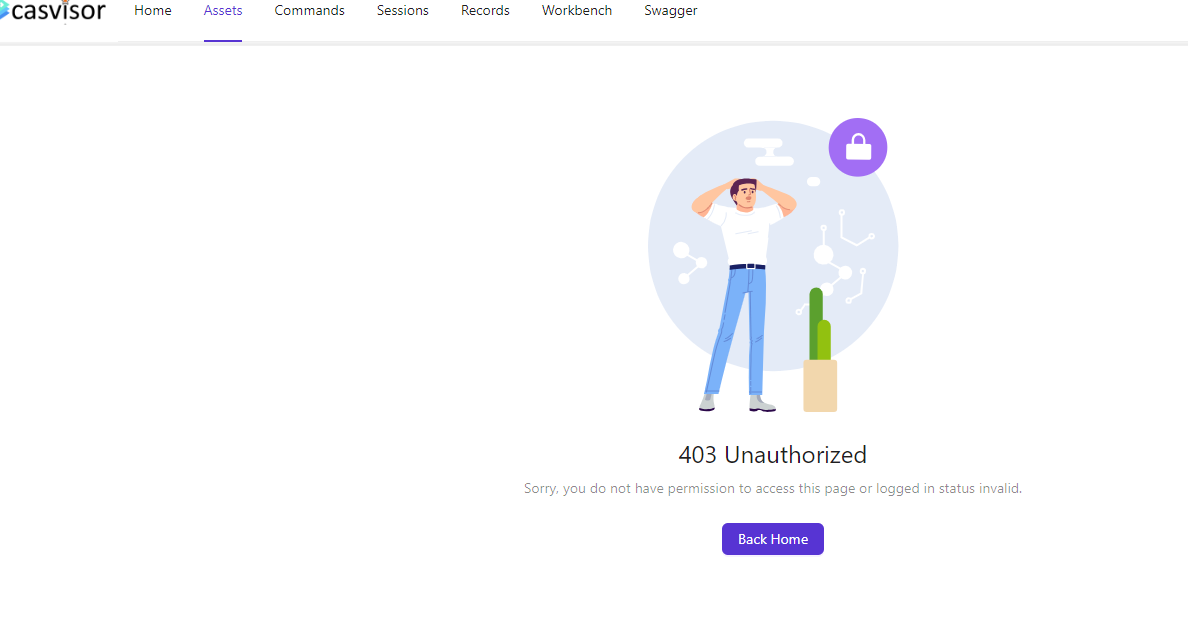
@hsluoyz can you help me?
Ah, I ended up sending it to the casdoor bug reports channel, I'll test it and get back to you soon, thank you
don't work, now it triggers a lot of logs, I think it's bringing the subowner and the wrong subname too, before it brought the subOwner as the organization name and subName as the username

I could be wrong in my comment above but anyway, it is triggering a lot of logs that come with the test user and still the error persists, I don't know if I should do anything else on my part
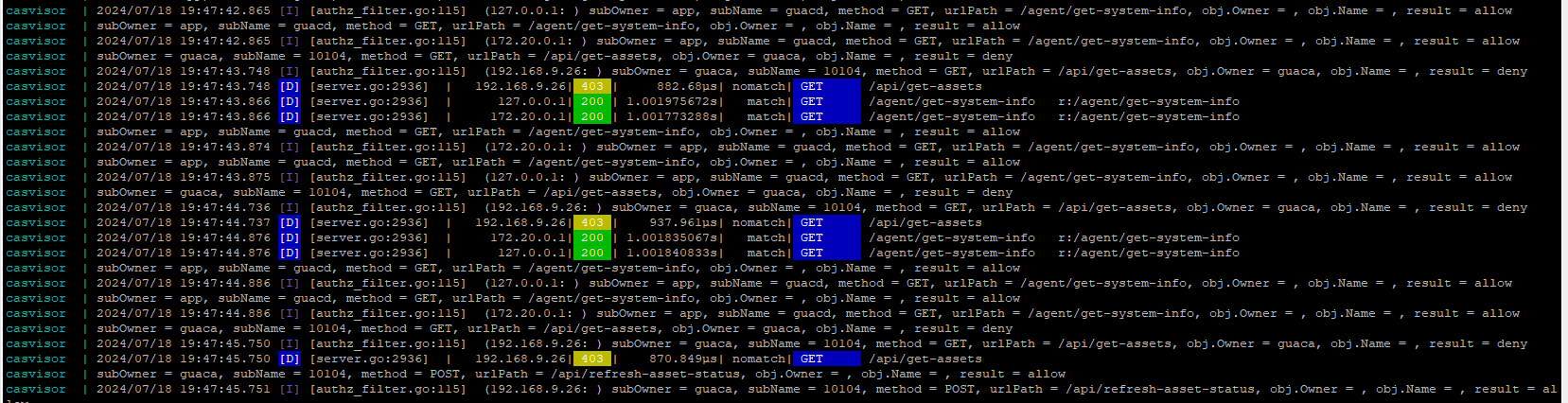
It worked, I'll let you know anything
tks
Well, the connection via ssh works normally, the problem now is the RDP connection, in addition to the security flaw going through the username and password in the application's url, it gives an authentication error when trying to log in, leaving the fields empty. Even if the password is correct, it gives the same error. To reproduce, simply create an RDP connection and leave the "username and password" fields empty
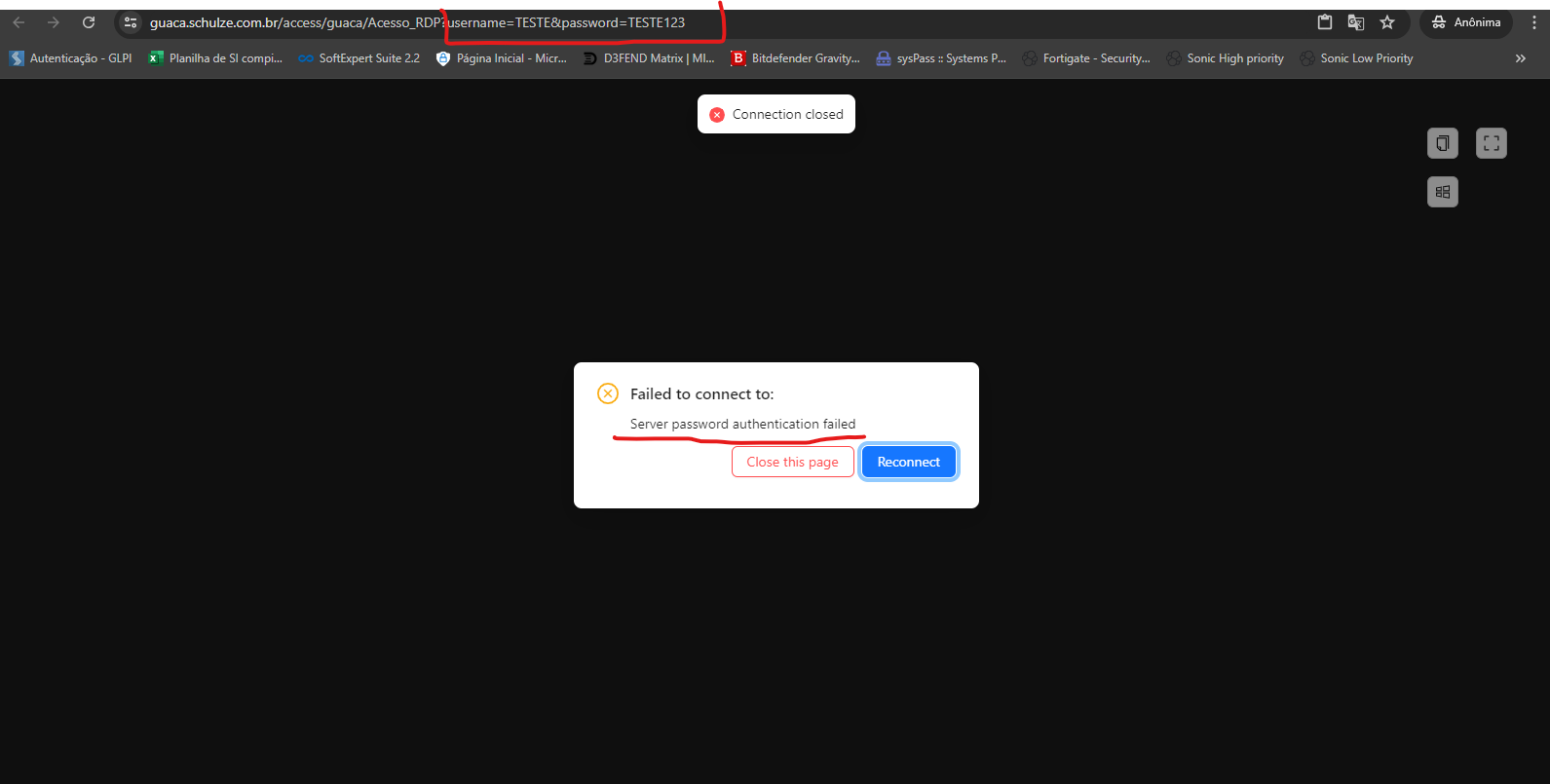
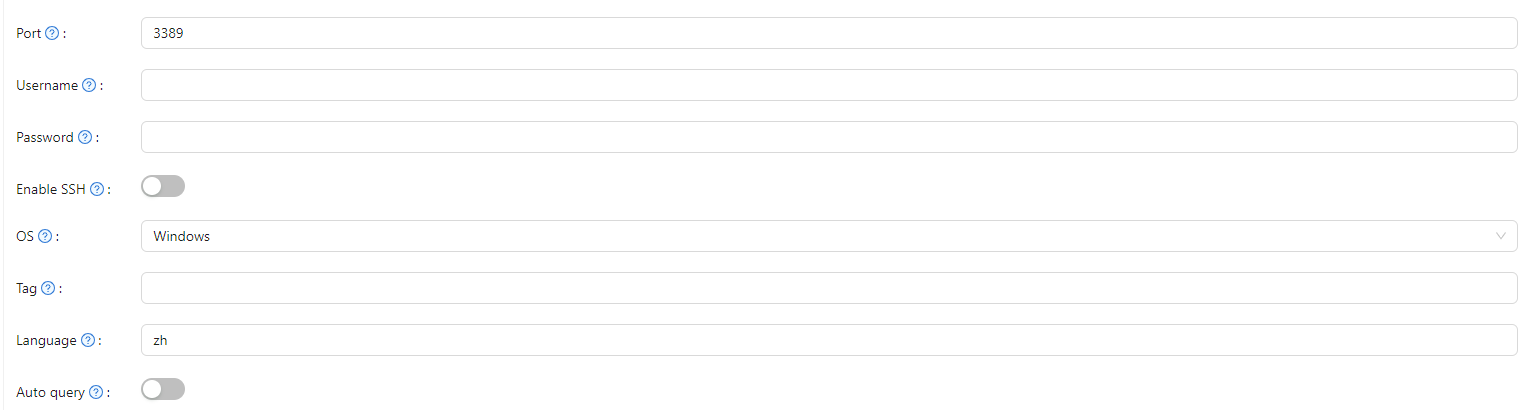
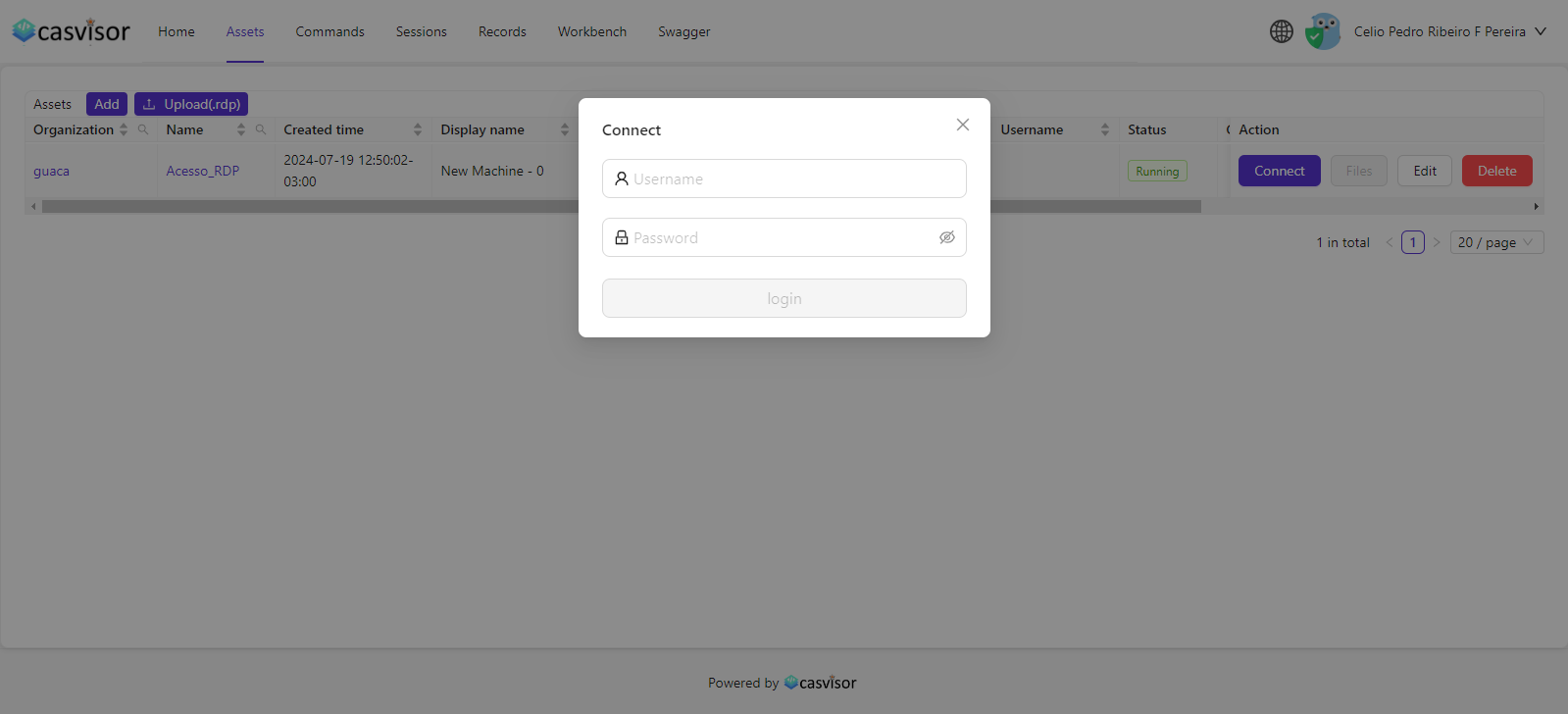
I believe it is this login and password pop up that is not passing correctly to the back end
correcting, the ssh connection behaves the same way if the login and password fields are empty when adding a new access
create a github issue
This is along with what I said above in the images, has it been fixed or am I waiting for the issue to be closed?
did not work
I am opening a new issue because the one that was closed unfortunately did not work.
https://github.com/casvisor/casvisor/issues/130
If you find it necessary or want to ask questions, you can message me privately. Just be aware that I may not respond immediately due to the time zone difference.
@celio_63712 you has been replied
Okay, I will recreate my environment and test it. It may be that something got stuck. I just ask that you note that in the video that was sent to me, your credentials are being passed through the URL. I don't know if this is critical on your side, but I'm just letting you know as a precaution.
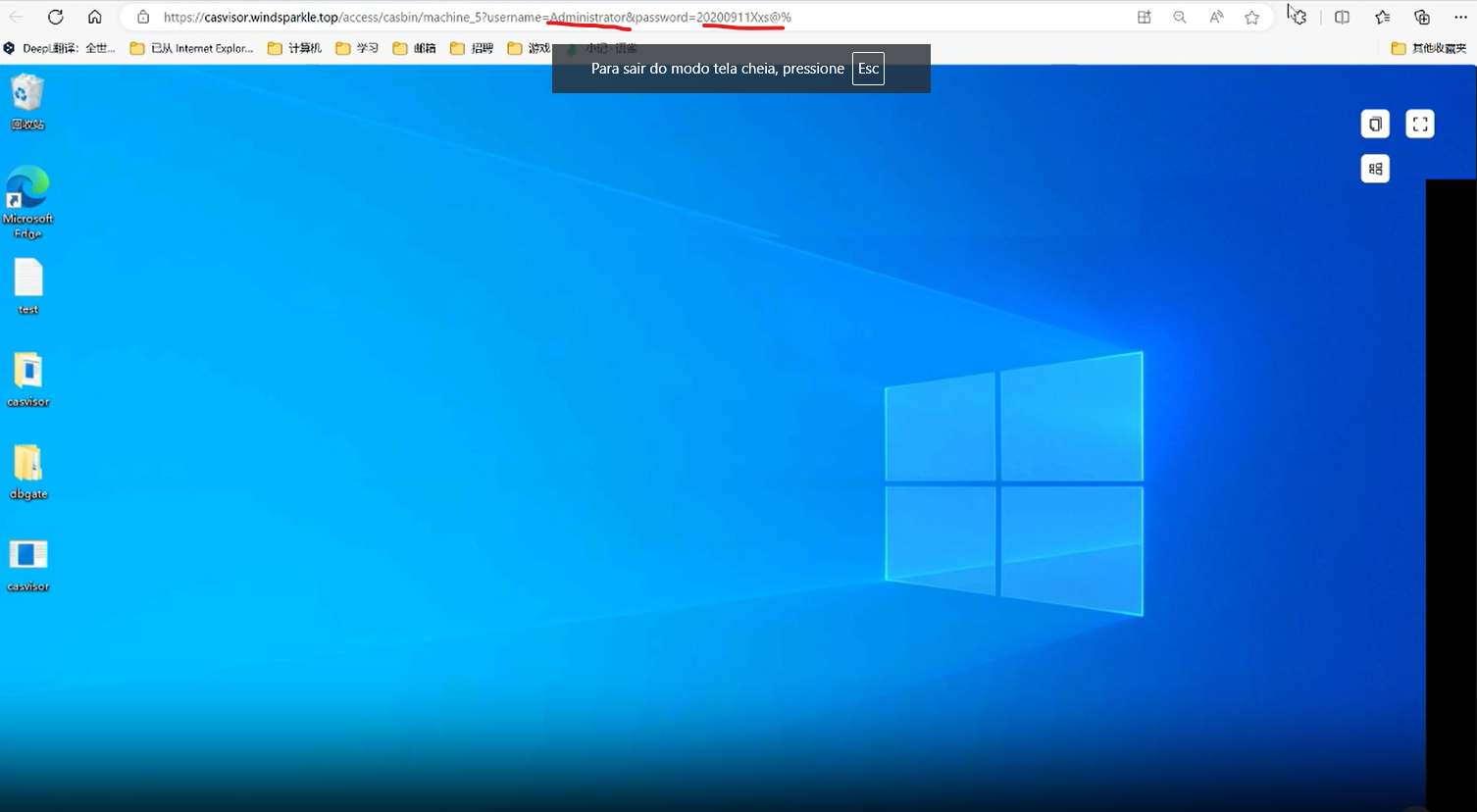
I am using Docker, I am still a bit new to it, but after he deployed the fix, should he have updated something in the image to reflect it for me as well? If the answer is yes, I think that's why mine might not be working correctly
1 / 45
Jul 2024

This forum runs on Casnode, an open-source forum with the look and features of Discourse, built with Go and Next.js. See what it can do on the Casnode demo site.
Try the Casnode demo