
Casbin Forum runs on Casnode, the open-source Discourse-style forum. Try the Casnode demo →
Casbin Forum

Hi there, I'm trying to migrate from authentik and trying to sync my existing users (they need to have the same id/uuid).
Im getting this error though: "Failed to save: pq: duplicate key value violates unique constraint "user_pkey""

Screenshot for table config:
Any Ideas?
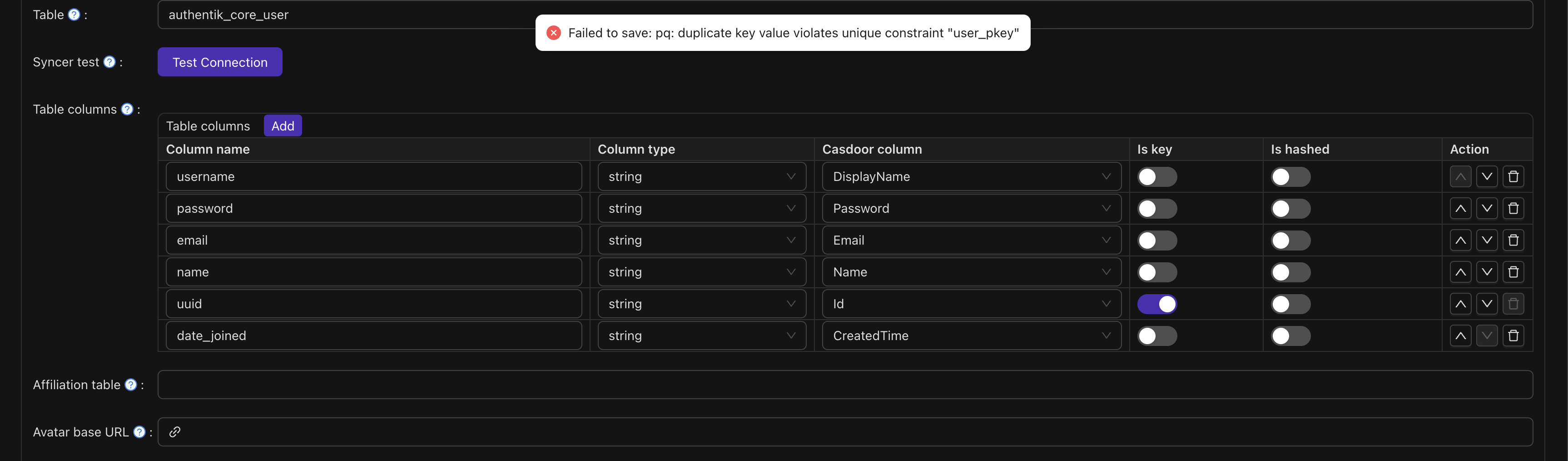
image.png

2views
2users
2 minread

The error indicates that you're attempting to insert a user with a UUID that already exists in the database.
To fix this, first verify if the UUIDs you're importing conflict with existing records by running a query to find duplicates.
If duplicates are found, consider performing an upsert operation that updates existing users instead of inserting new ones.
You can do this using PostgreSQL's ON CONFLICT clause in your insert statements.
Alternatively, if you want to replace all existing users, you can truncate the table with TRUNCATE TABLE authentik_core_user RESTART IDENTITY CASCADE, but be cautious as this deletes all current data.
Ensure your migration process explicitly sets UUIDs to match existing users when needed.
Lastly, clean your data to avoid duplicates before importing to prevent conflicts.
This approach will help you sync users without violating the primary key constraints.

I just checked, there are no duplicate UUID's in the existing authentik users table and also no existing user in casdoor with a same UUID

No duplicates UUIDs in the source and also no overlap in the existing users in casdoor (only initial admin anyways)

Check if the import script is set to update users if they already exist, instead of adding them again.
Look at the logs to see where it stops.

I might have an idea

haha thats funny, it failed because I had multiple users with the same "name" Field (for testing purposes). That failed the query and when i just attached 1, 2, 3 suffix to different accounts it did import correctly. now I just have to see if password sync works correctly, thank you 🙂

Okay unfortunately password sync doesnt seem to work.
I configured following:
In Org Setting:
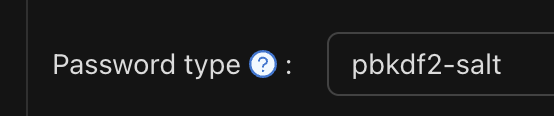
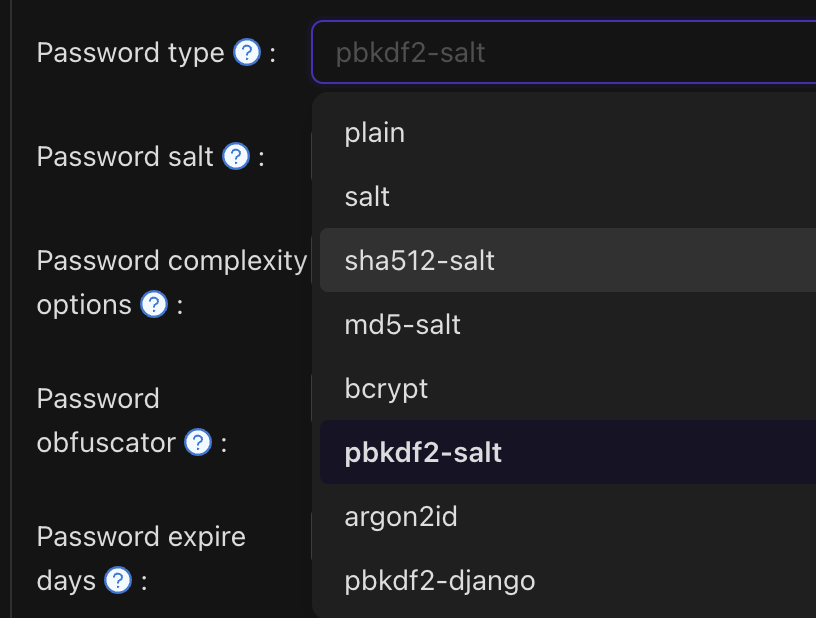
Password type: pbkdf2-salt (should be the one authentik is using)
Password salt Set to the AUTHENTIK_SECRET_KEY

Syncer:
password (origin field name) -> Password (casbin)

Shouldnt that work? Any Ideas?

oh, I see

at first, Make sure that Authentik's passwords are hashed with pbkdf2-salt and use the correct salt key.

and then, Check if Casdoor is set to verify passwords using the same pbkdf2-salt method with the AUTHENTIK_SECRET_KEY.

then, Ensure that the password stored in Authentik is hashed, not plain text.

Finally, Enable debug logs to see why the password check is failing.

"pbkdf2_sha256$720000$Rh" this is the beginning of a password entry in the database

so its indeed pbkdf2_sha256

CleanShot_2025-11-13_at_10.30.532x.png

To ensure sync works, Casdoor must be configured to verify passwords using the same algorithm, iterations, and salt.

Ithink

Double-check that Casdoor's password verification method supports pbkdf2_sha256 with the same parameters.

If needed, you might need to customize Casdoor’s password verification to match Authentik's hashing scheme exactly.

Hold up, when I switched to "pbkdf2-django" instead of "pbkdf2-salt" it did work indeed. Let me try deleting all users, syncing again and then see if I can still login to an example application

It does indeed work, I get redirected to http://localhost:9000/callback?code=XXXXXXX&state=casdoor so that seems to work 🙂

And entering a wrong password on purpose gets denied so that seems to work perfectly fine. Tysm!

1 / 16
Nov 2025